
 Virtual Wallet — store credit for your customers
The Virtual Wallet lets your customers keep store credit in their account and pay for their orders with it — in full or in part. You will find it in the admin panel under Products → Virtual Wallet (the same screen has a Transactions and a Customers tab).
How the balance is funded
- The customer tops up from their account (My Account → Virtual Wallet) — top-ups are paid online only (card / online payment), not cash on delivery.
- A refund issued to the wallet instead of back to the card.
- Manually by you (add or deduct credit for a customer).
- Redeeming a gift card into the wallet.
Each top-up is stored as a separate “lot” with its own expiry date; when the customer spends, the soonest-to-expire credit is used first.
Setting it up
Open Products → Virtual Wallet → Settings:
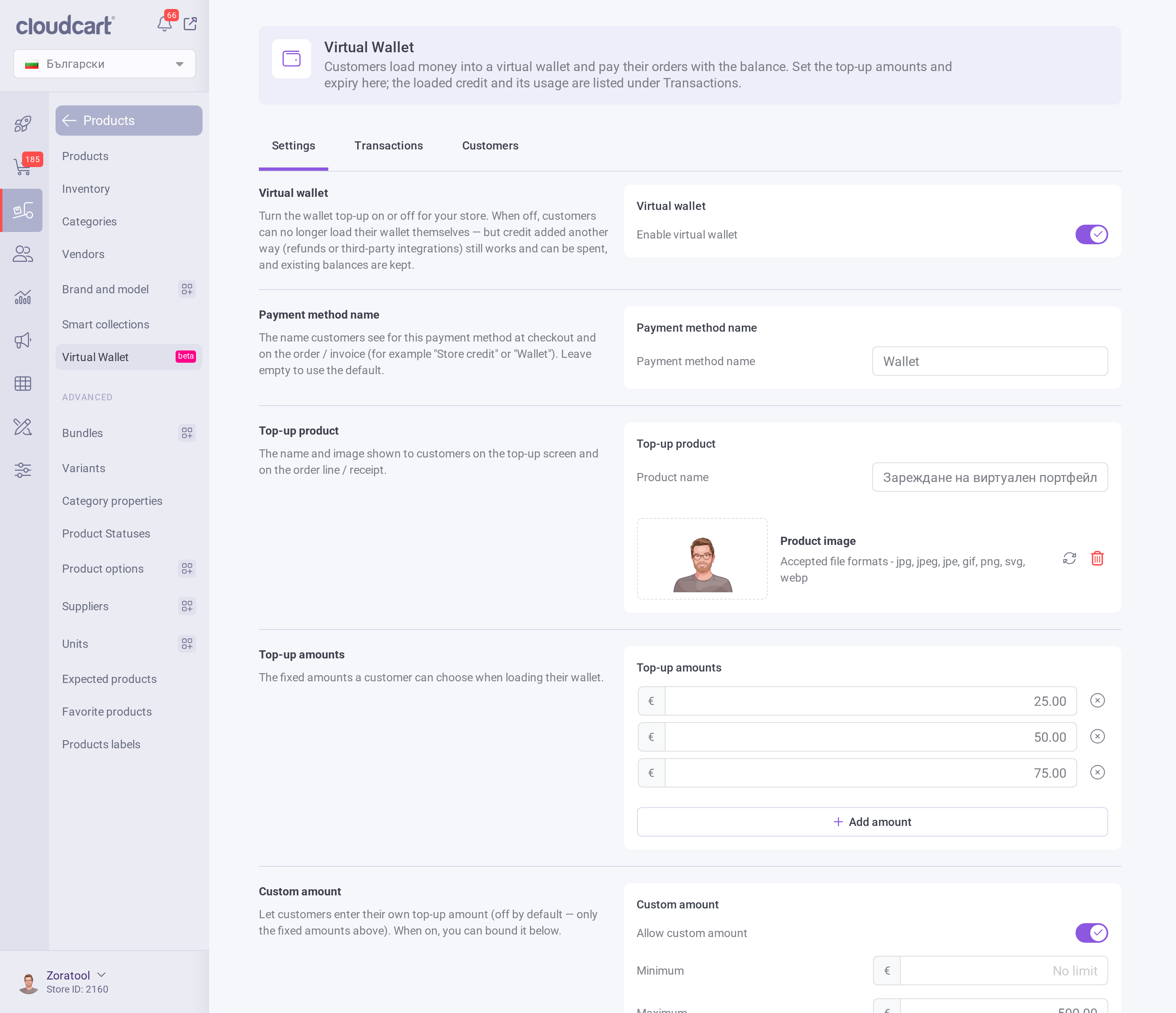
- Enable virtual wallet — turns the wallet top-up on or off for your store. When off, customers can no longer load their wallet themselves, but credit added another way (refunds, integrations) still works and existing balances are kept.
- Payment method name — the name customers see for this payment method at checkout and on the order / invoice (for example “Store credit” or “Wallet”). Leave empty to use the default.
- Top-up product — the name and image shown to customers on the top-up screen and on the order line / receipt.
- Top-up amounts — the fixed amounts a customer can choose when loading the wallet (e.g. 25 / 50 / 75). Add or remove rows as you like.
- Custom amount — let customers enter their own top-up amount (off by default). When on, you can set a minimum and maximum.
- Expiry — how long a top-up stays valid, in days. Leave it at 0 for credit that never expires.
Click Save to apply your changes.
How customers pay with the wallet
At checkout, a customer with available balance sees the wallet as a payment option (under the name you set above). They can:
- Pay in full — the whole order is covered by the wallet, or
- Pay in part — the wallet covers part of the total and a second method (card / cash on delivery) covers the rest.
VAT — how it works
The Virtual Wallet is a multi-purpose voucher (MPV): it can be spent on anything in your store, across different VAT rates, so at the moment of top-up it is not yet known what will be bought.
| Moment | VAT | Documents |
|---|---|---|
| Topping up the wallet | No VAT is charged | No invoice and no fiscal receipt — a top-up only loads a means of payment, it is not a sale of goods or a service. |
| Spending (buying with wallet balance) | VAT is charged on the purchased goods, at their own rates — exactly as with any other payment | A normal invoice / receipt for the order; the wallet appears as a “Paid with wallet” payment line. |
In short: VAT is not due when the wallet is loaded, but when the purchase is made — the wallet only pays, and the goods carry their own VAT.
Monitoring: Transactions & Customers
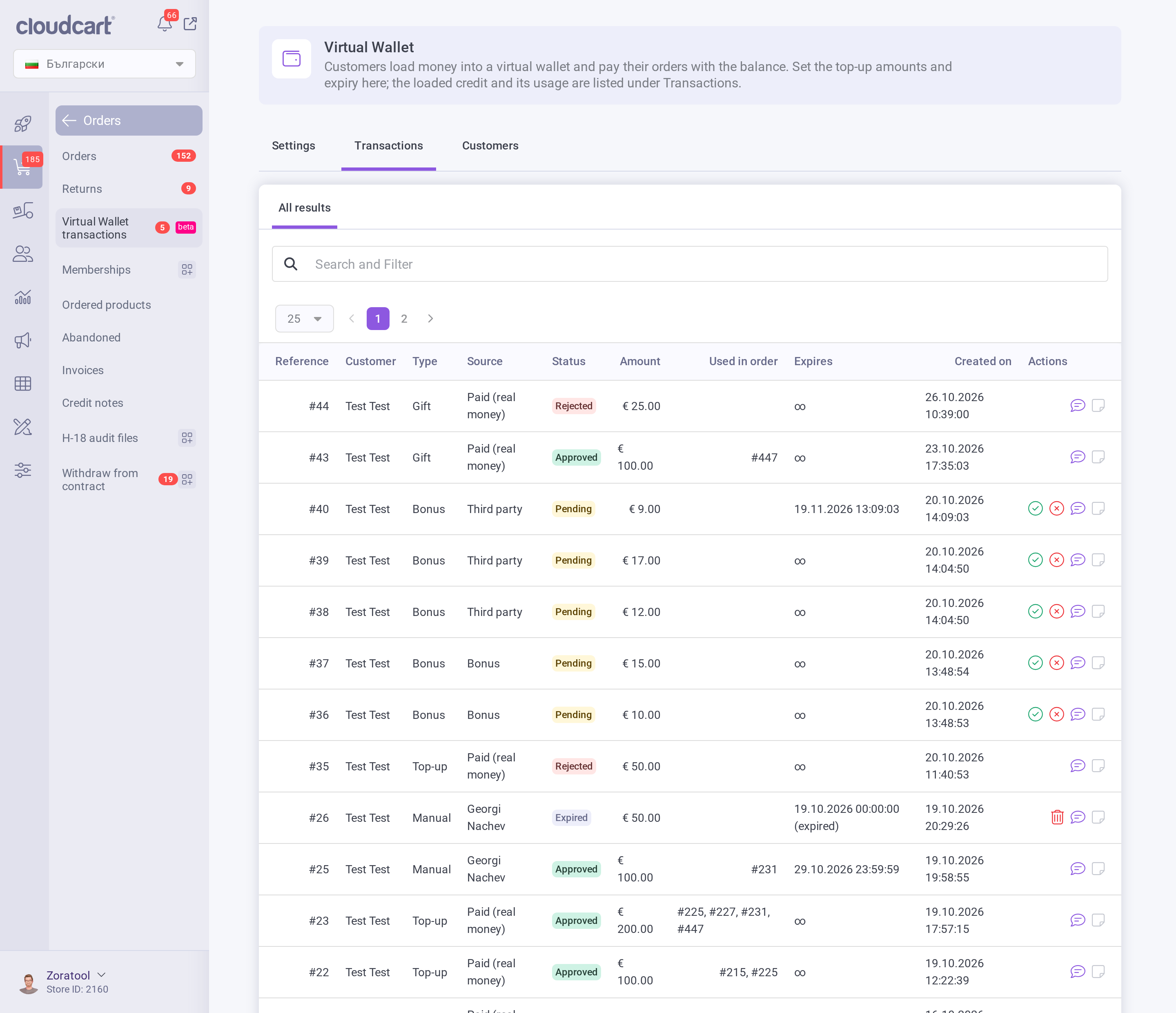
The Transactions tab is the full ledger — every top-up, spend, refund and manual adjustment, with the amount, status and expiry.
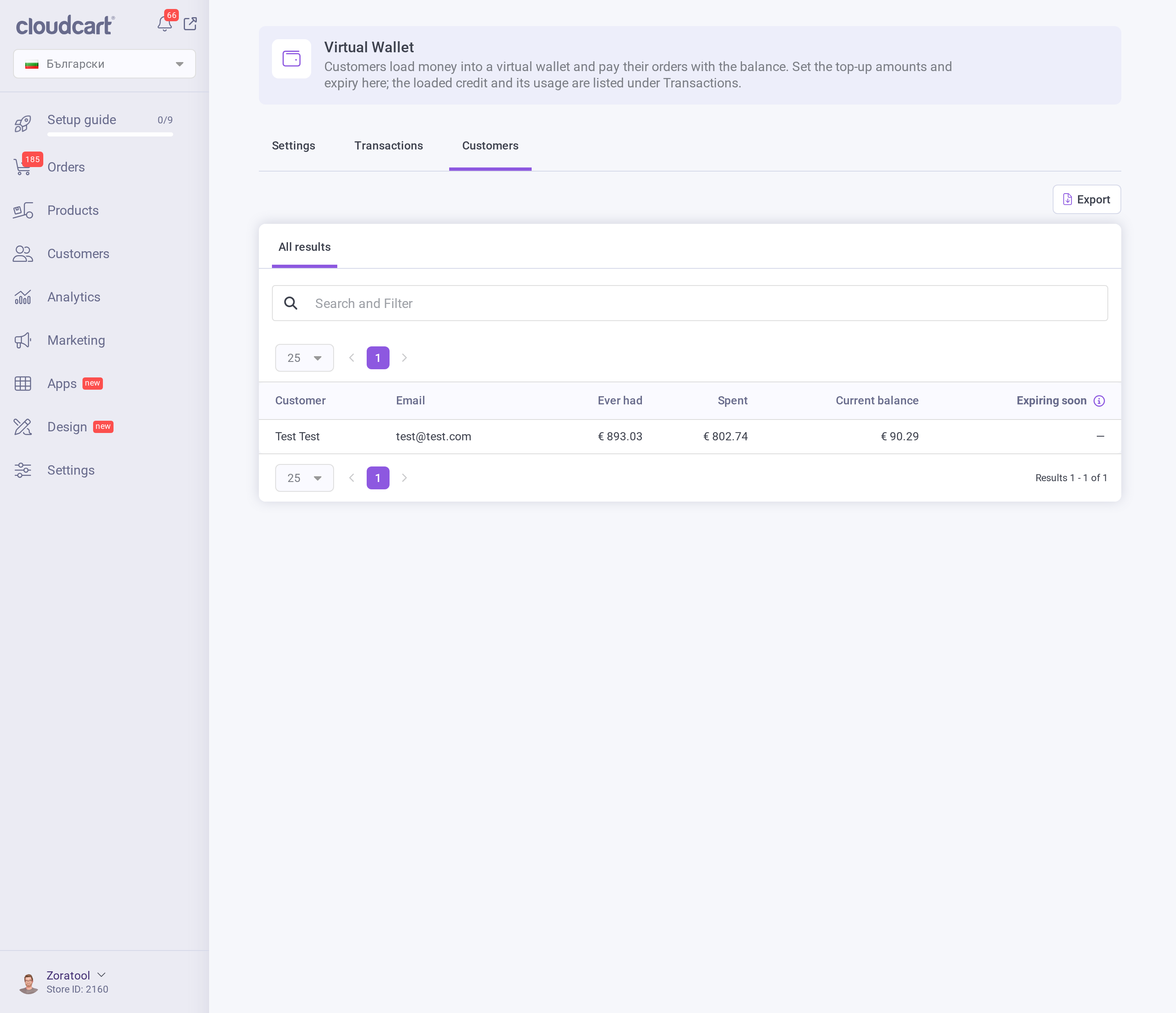
The Customers tab shows each customer’s current balance; from here you can also add or deduct credit manually.
Refunds
When you refund an order that was paid with the wallet, the amount goes back to the customer’s wallet balance. You can also choose to refund to the wallet instead of to the original payment method.
Note: this article describes how the feature behaves. For specific accounting questions (ledgers, fiscal-reporting details) please consult your accountant.